Apple silicon · macOS 26.4+ · On-device processing
旅のノート — Travel notes
FIELD NOTES / 001京都、日本
京都で過ごす、 静かな朝。
路地の奥にある、小さな喫茶店。 窓際の席から、小さな庭を眺める。
A moment worth staying in.
GLASS日本語 → English
A quiet morning in Kyoto.
A little café tucked away on a side street.
⌃⌥spaceHold. Read. Release.
Illustrated interaction · Actual results and timing vary
Read in place Listen with captions No content uploads
TWO TOOLS. ONE LITTLE SHORTCUT AWAY.
Less back and forth. More understanding.
Stay with the page, the conversation, the moment. Bring up translation when you need it.
01 / GLASS
The words in front of you.
Hold a shortcut over readable text in another app. Glass follows your pointer and places translated passages over their source. Release to return to the original.
⌃⌥space
Hold to read
Click and scroll through the lens
Keep paragraphs anchored to their source
Customize keyboard or supported mouse shortcuts
02 / ECHO
The words around you.
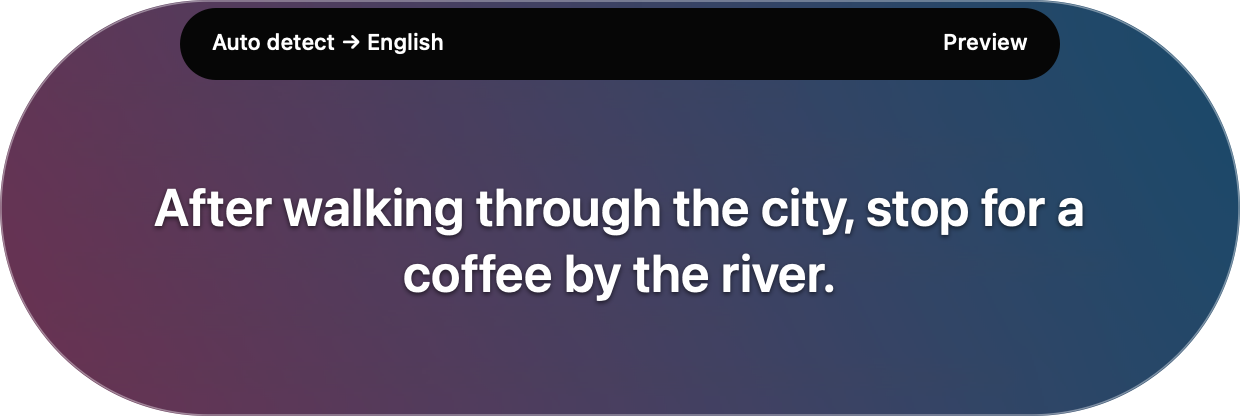
Listen to Mac audio or your selected microphone and read translated captions at the top of your screen. Captions can refine as more speech arrives.
⌃⌥E
Hold to listen
Choose Mac audio or microphone input
Release to stop and finish the buffered phrase
Pin the last caption for more reading time
A REAL LOOK AT GLASS
Hold to translate. Release to return.
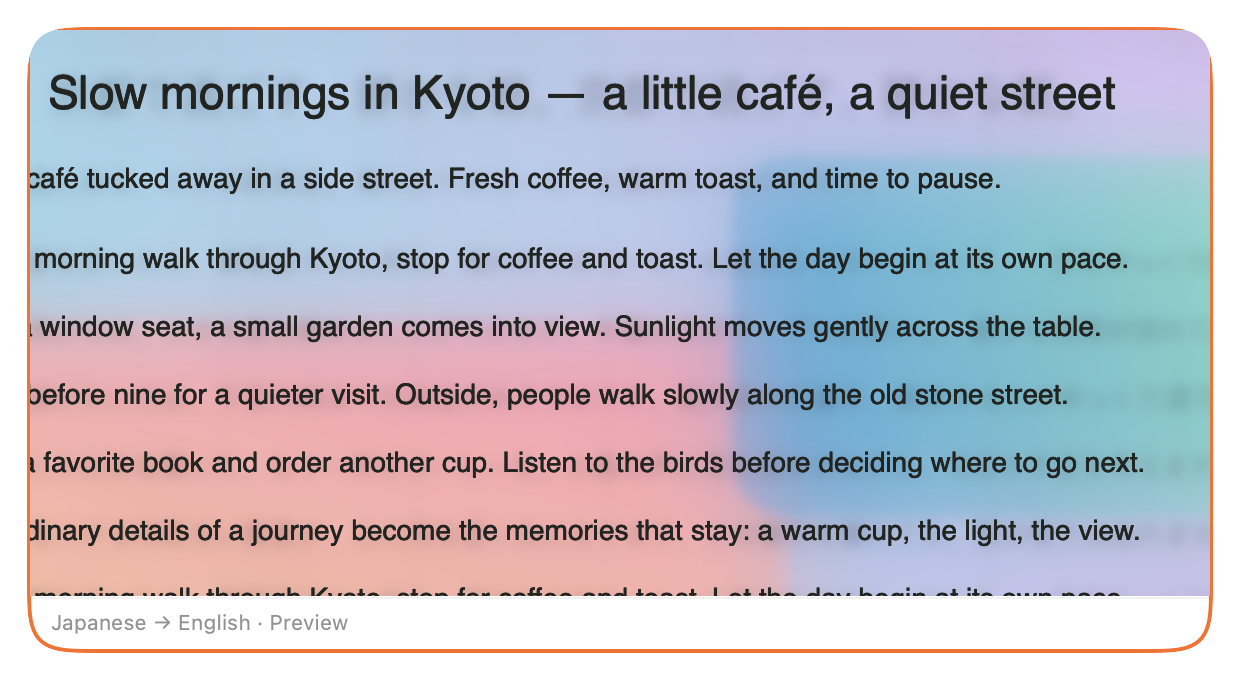
See the actual local app over generated Japanese text in TextEdit. Your content can produce different results.
Echo Glass / In action APP RECORDING
Actual local app · November 4, 2026 · Original speed · Generated sample document · Silent video
SAME TOOLS. A DIFFERENT FEEL.
A little clarity. A little Crystal.
Clear glass, soft bokeh, and light around the edges. Choose each tool’s appearance independently in the app.
CRYSTAL / GLASS
Native appearance preview with sample text. A look at presentation; recognition and translation results vary.
Captions linger briefly after listening stops. Pin them when you need more time. The words stay; audio stays off.
Native Echo Crystal preview · Sample caption
LOCAL BY DESIGN
Your content stays on your Mac.
Screen captures, audio, recognized text, and translations stay on your Mac. Echo Glass doesn’t send them to us or a cloud service for processing.
Text recognition, speech recognition, language detection, and translation all run on-device. Download missing language resources during setup; prepared supported configurations work offline.
01
Only when you need it.
Neither tool captures screen content or audio while idle. Pause translation disables both tools.
02
Keep the moment temporary.
Normal use doesn’t save captured images, audio, or captions. Glass’s in-memory cache clears after ten minutes, or when you clear it or quit.
Eligibility depends on your Mac, languages, resources, permissions, and content. Meeting these requirements does not guarantee every feature or source will work.
ComputerApple silicon Mac. Intel Macs are unsupported by this build.
macOS26.4 or later; later releases remain subject to testing.
LanguagesTranslation resources for your chosen direction. Echo also needs a supported speech model.
InternetNeeded to download missing language resources during setup. Recognition and translation run locally after preparation.
PermissionsScreen Recording for Glass and Mac audio. Microphone permission for microphone input.
Storage & memorySpace for the app and Apple-managed language models. A separate RAM minimum has not been validated.
Available directions and strategies vary. Echo’s spoken-language choices depend on Apple Speech support and installed resources. Auto detect may need longer, clearer speech or an explicit language selection.
No. Glass and Echo process captured screen content, audio, recognized text, and translations on your Mac. Your content isn’t uploaded for recognition or translation. An internet connection is needed to download missing language resources during setup. Once supported resources are prepared, you can use them offline.
Will it work in every app or on every video?
Compatibility with every app, website, audio device, or media source is not guaranteed. Glass needs readable, capturable screen text. Echo needs usable captured audio. Protected or restricted content may be unavailable.
How accurate are translations and captions?
Recognition, language detection, and translation can make mistakes or omit content. Captions can change as more speech arrives. Results and response times vary with content quality, language, hardware, and system load.
How do I set it up?
Install an available compatible beta through TestFlight. Open Settings, prepare your written translation languages, and enable Screen Recording for Glass. For Echo, prepare speech and translation resources in Echo’s language setup, then select Mac audio or Microphone. Wait for Ready offline before trying the shortcuts.
Is the beta the final app?
No. Beta features and availability can change, and builds offered by TestFlight can differ. Read What to Test for the build available to your account. If no compatible build is listed, the invitation does not establish availability for your Mac.
How do I send feedback?
In TestFlight, select Echo Glass and choose Send Beta Feedback. Include your build, Mac, macOS version, app or audio source, and language direction. Describe what you expected and what happened. Remove private information from screenshots.
A LITTLE MORE UNDERSTOOD.
Meet your next “oh, I get it.”
Try Echo Glass on your own content. Help shape what comes next.
Try the Mac betaApple silicon · macOS 26.4+ · Check the available build in TestFlight
Glass and Echo process your captured content entirely on your Mac. Screen captures, audio, recognized text, and translations are not sent to us or a cloud service for processing. Missing language resources may need an internet download during setup.
Glass reads visible screen content while held, which can include the source window and nearby text outside the lens. Its temporary in-memory translation cache expires after ten minutes. Echo captures the selected audio source while listening; Mac audio leaves the microphone off. Screen access also supports Echo’s live background material. Pause translation disables both tools.
This page has no email signup, advertising tags, or analytics script. Website hosting is separate from the app’s local processing. If you email us, your message and attachments are handled in our Gmail inbox to answer your request and investigate the issue. Please remove private content from screenshots. For support or privacy questions, contact hello.echoglass@gmail.com. Apple’s TestFlight service handles beta enrollment, testing information, and submitted feedback under TestFlight & Privacy.
 Echo Glass